

Communication drives user engagement. When developers build applications, websites, or software platforms, finding reliable ways to alert or verify users becomes a top priority. Text messaging remains one of the most effective communication channels available, boasting incredibly high open rates and immediate delivery.
For developers and business owners on a budget, building this capability from scratch is unnecessary. A free SMS API integration allows you to connect your application directly to telecom networks. You can trigger automated messages, handle two-factor authentication, and send bulk updates without heavy upfront costs.
This guide explores the exact steps and concepts needed to successfully implement a messaging system. You will learn how to connect gateways, choose the right providers, and write the actual code required to send text messages in popular programming languages.
Understanding the Free SMS API for Developers

An Application Programming Interface (API) acts as a bridge that allows your software to communicate seamlessly with a third-party service. When you implement a free SMS API integration, you are essentially leveraging an existing messaging infrastructure to send and receive text messages without building the entire system from scratch. This removes the need to negotiate with mobile carriers, manage telecom hardware, or handle complex delivery networks, making it a highly efficient solution for developers and businesses.
With a free SMS API integration, developers can quickly add messaging functionality to websites, apps, or software platforms using standard web technologies. APIs typically operate over HTTP or HTTPS protocols, meaning you can send a request from your application that includes key details such as the recipient’s phone number, the message content, and your secure authentication credentials (API keys or tokens). Once the request is sent, the API provider takes over the entire process—routing the message through carrier networks and ensuring it reaches the user’s mobile device reliably.
One of the biggest advantages of using a free SMS API integration is its simplicity and scalability. Even with minimal coding knowledge, developers can integrate messaging features into their systems within a short time. At the same time, these APIs are built to handle large volumes of messages, allowing your application to scale from a few users to thousands or even millions without changing the core setup. This makes SMS APIs an essential tool for modern applications that rely on instant communication, user verification, and real-time notifications.
SMS Gateway API Integration Guide
Connecting your system to an SMS gateway involves a few standard procedures. First, you must register for an account with your chosen provider to obtain your unique API keys. These keys act as your secure password, ensuring that only your application can send messages through your account.
Next, you will review the provider’s documentation. Good documentation outlines the exact URL endpoints you need to call and the specific parameters required. Most modern gateways accept JSON payloads. You will structure your message data, securely attach your API keys in the request headers, and send the payload via a POST request to the provider’s server.
How to Integrate SMS API in a Website

Adding text capabilities to a website usually revolves around user registration or contact forms. When a user submits their phone number, your backend server intercepts that data.
To integrate an SMS API in a website, you need a server-side script. Never expose your API keys in frontend JavaScript, as malicious users could steal them and send unauthorized messages. Instead, have your website’s frontend send a request to your backend server. Your backend server then securely constructs the request and forwards it to the SMS provider.
Choosing a Free Bulk SMS API Service
Sometimes you need to reach thousands of users simultaneously. A free bulk SMS API service allows you to send marketing campaigns, emergency alerts, or system-wide updates efficiently.
When evaluating bulk services, pay attention to rate limits. Free tiers often restrict how many messages you can send per second or per month. Look for providers that offer robust queuing systems. If you exceed the rate limit, a good provider will queue your messages and deliver them gradually, rather than outright rejecting your API requests.
SMS API Integration for Apps
Mobile and web applications rely heavily on timely notifications. SMS API integration for apps is crucial for features like appointment reminders, ride-sharing updates, and delivery tracking.
For application integration, consider the user experience. Messages should trigger instantly based on user actions. Webhooks play a vital role here. You can configure the SMS API to send a webhook back to your app when a message is successfully delivered. This allows your app’s interface to update in real-time, showing the user that their notification was sent and received.
Best Free SMS API Providers
Finding a reliable service is the foundation of a successful free SMS api integration. While truly unlimited free messaging is rare due to telecom costs, many providers offer generous free tiers or test credits for developers.
Twilio remains a dominant player, offering a trial account with free credits to build and test your integration. Vonage (formerly Nexmo) provides a similar developer-friendly environment with excellent documentation. For those looking for strictly free testing environments, Textlocal and Plivo also offer sandbox accounts. These sandbox environments let you send real text messages to verified phone numbers at no cost, which is perfect for development and prototyping.
Send SMS Using API in PHP and Python
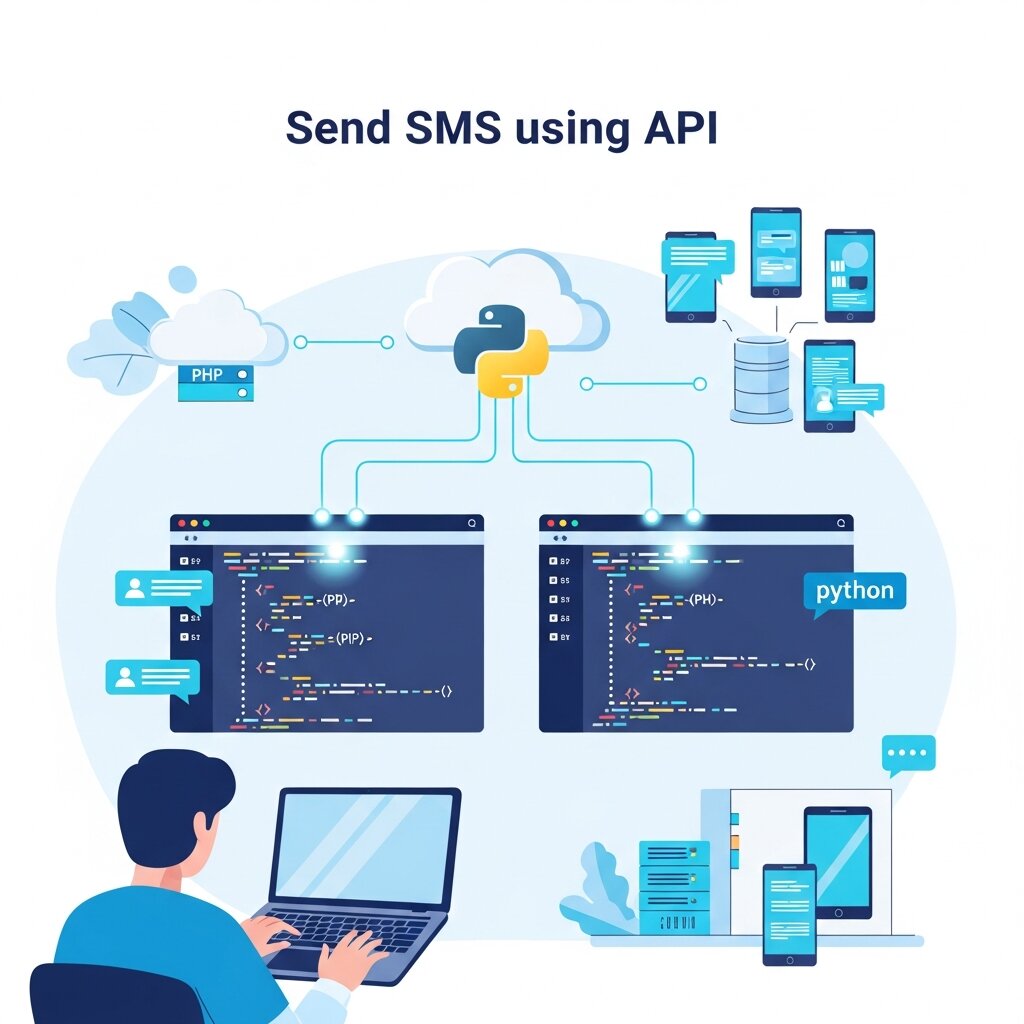
Writing the code to send a text message is surprisingly straightforward. Below is a conceptual overview of how you can send an SMS using API in PHP and Python.
In PHP, you typically use cURL to execute the HTTP request. You define the endpoint URL, set the necessary headers including your API key, and pass an associative array containing the “to” number and the “message” string. You then execute the cURL session and capture the response to verify delivery.
In Python, the requests library makes this process even easier. You import the library, define your payload as a dictionary, and call requests.post(). Python’s clean syntax allows you to execute a full free SMS API integration in less than ten lines of code.
SMS Notification API Integration
Notifications keep users engaged and informed. SMS notification API integration focuses on transactional messages rather than marketing. Examples include password resets, order confirmations, and security alerts.
To build an effective notification system, structure your database to trigger events. If a user requests a password reset, your backend should generate a secure token, construct a message containing that token, and immediately push it to the SMS API. Reliability is critical here, so implement error handling in your code to retry sending the message if the initial API call fails.
Cloud SMS API for Messaging
Modern communication relies on cloud infrastructure. A cloud SMS API for messaging offers scalability that on-premise solutions cannot match. As your user base grows from one hundred to one million, a cloud provider dynamically allocates resources to handle your message volume.
Cloud platforms also offer global reach. They maintain relationships with telecom carriers across different countries. You can send a text message to a user in Europe just as easily as you send one to a user in North America, without worrying about international routing complexities.
Real-Time SMS API Integration Tutorial
To bring these concepts together, let us outline a basic real-time SMS API integration tutorial workflow.
First, sign up for a provider like Twilio and locate your Account SID and Auth Token. Next, set up a simple backend environment using Node.js or Python. Install the provider’s official helper library via your package manager.
Write a function that accepts a phone number and a text string. Inside this function, call the provider’s create message method, passing in the required variables. Finally, expose this function via a local web server endpoint. You can now use a tool like Postman to send a test payload to your local server, which will trigger the API and deliver a text message to your phone in real-time.
Frequently Asked Questions
What is a free SMS API integration?
It is a method of connecting your software to a third-party messaging service at no initial cost, allowing your application to send text messages programmatically.
Are free SMS APIs completely free forever?
Usually, providers offer a free tier, testing sandbox, or initial free credits. Once you exceed these limits or move to full production scale, you typically pay a small fee per message.
Do I need to know how to code to integrate an SMS API?
Yes, some programming knowledge is required to write the HTTP requests. However, many tools like Zapier allow for no-code integrations if you prefer a visual setup.
Can I receive text messages as well as send them?
Yes, most APIs support two-way messaging. You configure a webhook URL where the provider will forward incoming messages to your server.
How secure is an SMS API?
Very secure. Communication happens over encrypted HTTPS connections, and your account is protected by unique API keys that you must keep secret.
Can I send bulk marketing messages using a free tier?
Free tiers usually have strict rate limits and may require you to verify destination numbers, making them unsuitable for large-scale marketing until you upgrade.
Which programming languages support SMS API integration?
Virtually all modern languages support it, including Python, PHP, Java, Ruby, C#, and Node.js.
What is an API key?
An API key is a unique string of characters provided by the SMS service that identifies your account and authorizes your application to send messages.
How do I prevent my API key from being stolen?
Store your API keys in secure environment variables on your backend server. Never hardcode them into frontend HTML, JavaScript, or public code repositories.
Can I send international text messages?
Yes, cloud-based SMS APIs handle international routing. You just need to format the destination phone number using the standard E.164 format (including the country code).
What is a webhook in the context of SMS?
A webhook is an automated HTTP callback. The SMS provider uses webhooks to notify your server when a message is successfully delivered or if a user replies.
Why did my SMS API request fail?
Common reasons include incorrect API keys, improperly formatted phone numbers, insufficient account balance, or exceeding rate limits.
What is the E.164 phone number format?
It is an international standard for phone numbers that includes a plus sign (+), followed by the country code, and then the subscriber number.
Can I customize the sender ID?
Many countries allow alphanumeric sender IDs (like “MYBRAND”), allowing you to display your company name instead of a phone number. Availability depends on local telecom regulations.
How do I handle SMS delivery reports?
You can configure your integration to listen for status callbacks. The provider will send a payload to your server detailing whether the message was delivered, queued, or failed.
Start Building Your Messaging System
Implementing a reliable messaging system is a crucial step toward improving user engagement, real-time communication, and application security. By leveraging a free SMS API integration, developers and businesses can quickly add powerful messaging capabilities without investing in expensive infrastructure or telecom partnerships. This approach allows you to test ideas, validate workflows, and launch essential features like notifications, alerts, and verification codes with minimal upfront cost.
To get started, take time to research and compare different SMS API providers based on their free tier limits, documentation quality, delivery reliability, and supported features. Most providers offer sandbox or trial environments where you can safely experiment without sending live messages to real users. Carefully review their API documentation to understand request formats, authentication methods, and available endpoints.
Begin with simple test scripts to ensure your free SMS API integration is working correctly. Once you confirm successful message delivery, you can gradually build a more advanced backend system that handles user-triggered events, manages incoming webhooks, and processes delivery reports in real time. This step-by-step approach helps you create a stable and scalable messaging infrastructure.
As your system grows, you can expand your free SMS API integration to include automation, bulk messaging, and two-way communication features. By continuously testing and optimizing your setup, you’ll develop a robust messaging solution that enhances user experience, improves security, and supports long-term application growth.